
Jigsaw Master - Jigsaw Puzzles
Mint GamesBoard
4.41.74K Reviews
- Version
- 1.0.20
- Installs
- 5.00M
- Age Rating
- Everyone
Screenshots
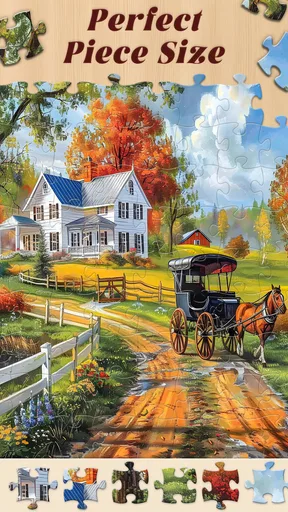
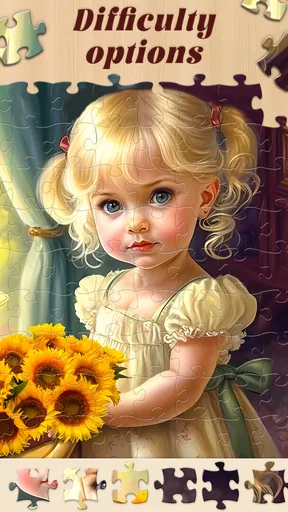
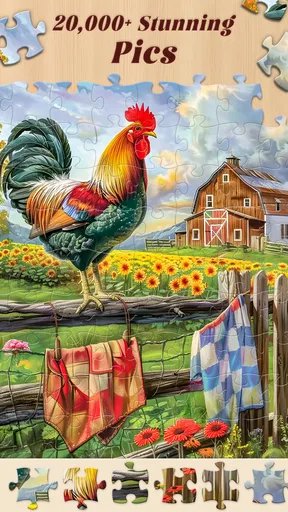
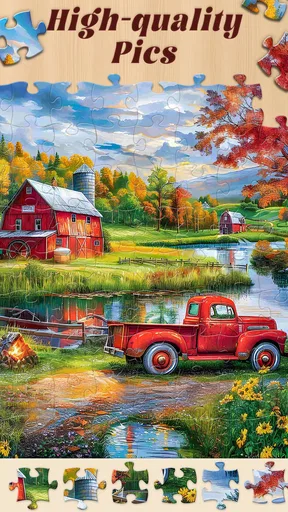
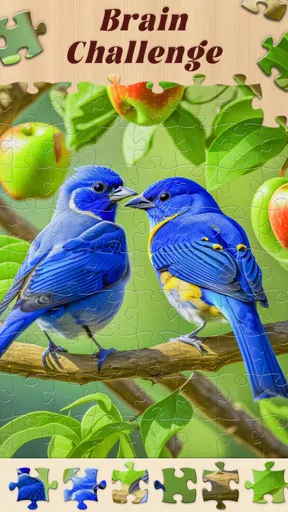
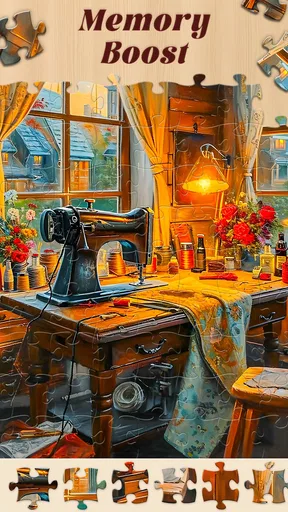
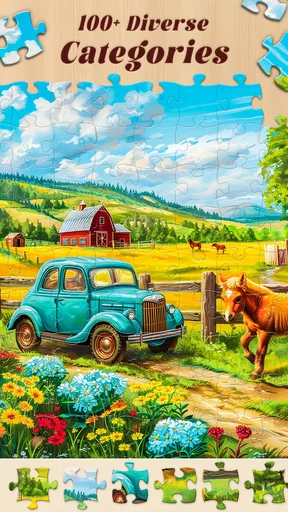
Our Review of Jigsaw Master - Jigsaw Puzzles
 Analysis by Appyee
I approached Jigsaw Master - Jigsaw Puzzles as the kind of game I could open for a few quiet minutes, rather than something demanding a long session. It is a free board game from Mint Games, built around assembling picture puzzles with bright visual themes. That simple idea is familiar, but the size of its picture collection makes the choice less straightforward: the real question is whether you want a broad, relaxing puzzle library or a more focused jigsaw experience with tighter control over difficulty and presentation.
After spending time with it, my opinion is positive but specific. This is an easy game to recommend to casual puzzle fans, families looking for an Everyone-rated activity, and anyone who likes browsing through attractive images before choosing a challenge. I would be more cautious with it if you want a highly competitive board game, a carefully structured learning tool, or a jigsaw app where every setting and progression detail is designed for advanced players.
How I would decide whether it belongs on your phone
My first decision criterion is the kind of attention I want to give the game. Jigsaw Master works best when I want to settle into a visual task without needing to memorize rules, manage a team, or react quickly. The board-game label can sound broad, but this is much closer to a traditional picture jigsaw than to a strategic tabletop adaptation. The pleasure comes from recognizing colors, edges, patterns, and shapes, then gradually turning scattered pieces into a complete image.
The second criterion is variety. The game presents a very large image library, described as more than twenty thousand pictures and puzzles. That matters because jigsaw players often lose interest when they repeatedly see the same small selection. Here, the collection is a major part of the appeal. I can choose based on mood: something colorful when I want a lighter session, a detailed image when I want to concentrate, or a simpler-looking picture when I am tired.
The third criterion is how much friction I am willing to accept. A casual puzzle game should make it easy to begin, pause, and return later. I look for clear piece handling, readable visuals, and a layout that does not make the board feel crowded. I also consider whether the free version feels comfortable before asking me to spend money. Jigsaw Master is free to start, but optional in-app purchases range from $6.99 to $69.99 per item. That does not automatically make it a poor value, yet it is a reason to pay attention to how often the game presents purchase opportunities.
There is also a practical compatibility question. The game requires Android 7.0 or later, so it remains accessible to many older Android devices, although people using very old phones or tablets should check their system version before installing. The current version is 1.0.20. I would not choose an app based only on a version number, but it is useful context when deciding whether a familiar device is likely to be suitable.
The first-session experience is deliberately uncomplicated
What I like about the opening experience is that it does not require me to learn an elaborate ruleset. I can select a picture and focus on the basic rhythm of sorting and placing. That makes it approachable for someone who has not played a digital jigsaw recently. It also means I could hand the phone to a relative who prefers visual activities and expect them to understand the central task quickly.
The uncomplicated design has a trade-off. Players who enjoy a strong sense of achievement, unlockable goals, or a campaign with a clear narrative may find the experience less motivating than a puzzle game built around stages and progression. Jigsaw Master is better understood as a large collection of individual relaxation sessions than as a journey with a dramatic endpoint.
One useful way to play is to treat the image choice as part of the difficulty decision. A picture with large areas of one color may look attractive but can become repetitive when many pieces share similar tones. An image with distinct objects or strong borders often gives me better visual landmarks. This is a small habit, but it makes the huge collection more useful: I am not merely picking the prettiest image; I am choosing the kind of concentration I want.
Where the picture library gives it an edge
The strongest reason I would choose this game over a smaller jigsaw app is the breadth of its image selection. A limited catalog can be perfectly pleasant, but it eventually turns the choice into a routine. The large collection here supports different use cases. I can use it for a short break, return to a favorite visual style, or look for a more demanding image without feeling that I have already exhausted the basic options.
That variety also helps when more than one person uses the same device. A child, an adult, and an older family member may not want the same type of picture. A large catalog makes it easier for each person to find something comfortable without requiring separate games. Because the content rating is Everyone, I see it as a reasonable shared option for general household use, while still supervising younger players in the same way I would with any app that includes optional purchases.
I would also use it as a low-pressure transition between activities. For example, after work I might spend a short period assembling a picture instead of immediately opening a fast-paced game or scrolling through social media. The visual task gives my attention somewhere concrete to go. It is not a replacement for sleep, exercise, or a proper break, but it can be a gentler option when I want to stay occupied without competitive pressure.
Small habits that make longer puzzles less frustrating
My most practical tip is to avoid starting with the most visually complex image just because it looks impressive. A dense scene can hide repeated colors and similar textures, which makes the early sorting stage slow. I get better results by beginning with clear outlines, recognizable objects, or strong color changes. Once I understand how the game handles pieces, I can move to images where the challenge comes from subtle detail.
I also prefer a two-stage workflow. First, I separate pieces that appear to belong to the outside of the image. Then I group the remaining pieces by color or visual texture rather than trying to solve everything at once. On a phone screen, this reduces the amount of searching I do with each move. It is especially helpful when a picture contains several similar shades that are difficult to distinguish at a glance.
For a shared device, I would keep sessions short and agree on whether the goal is speed or relaxation. A child may enjoy finding obvious matches, while another player may want to complete the whole image without interruption. Treating every puzzle as a race can make a calm board game unnecessarily tense. The better use is to let the image determine the pace.
Another overlooked point is screen comfort. Detailed pictures encourage me to stare closely, so I would lower brightness in a dim room and take breaks during longer sessions. That is not a special feature of this particular title, but the extensive picture library can tempt me to continue longer than planned. The game is easy to pick up again, which is convenient, but that convenience makes self-imposed stopping points worthwhile.
Where it wins, and where another puzzle style may fit better
I use this section to weigh the game’s broad picture selection against the kind of puzzle experience someone wants to return to. It is a strong fit when browsing and assembling images is the point, but a different style can be more satisfying if you want shared play or a carefully directed sequence of challenges. Thinking about that distinction before switching helps set realistic expectations.
Why I prefer it to a tiny, repetitive jigsaw catalog
Jigsaw Master wins when discovery matters almost as much as assembly. The broad image collection gives the game a sense of longevity that a small catalog may lack. If I want to keep finding different visual subjects rather than replaying a handful of familiar boards, this is the more appealing direction.
It also wins as a flexible background activity. I do not need to coordinate with other players, understand a complex strategy system, or prepare a long session. That makes it suitable for waiting rooms, quiet evenings, and short periods when I want something more active than watching a video but less demanding than a competitive game.
The visual emphasis may also appeal to people who choose puzzles by atmosphere. Some games push players toward score chasing, while this one is easier to approach as a personal activity. I can decide whether I want a quick completion or a slower, more careful build. That freedom is valuable for a relaxing game, even if it means the experience may feel less structured.
When a different alternative could be the better choice
I would look elsewhere if my priority were social play. A traditional board-game app with multiplayer rules, turn-taking, or direct competition would be a better fit for friends who want interaction. A solitary picture puzzle can be enjoyable in company, but it does not automatically provide the conversation and shared strategy of a multiplayer board game.
I would also consider a more specialized jigsaw app if I needed unusually precise controls, a very specific difficulty system, or a collection centered on personal photographs. Jigsaw Master is attractive because of its ready-made visual library, but someone who wants to turn their own images into carefully customized puzzles should compare it with tools built around that workflow rather than assuming a large catalog will meet the same need.
Players who need strong educational structure may prefer a game designed around measurable lessons, memory exercises, or guided cognitive training. The store summary presents the game as a way to enhance the brain, but I would treat that as a casual benefit of concentrating on puzzles, not as a substitute for a formal training program. The main experience is still entertainment through visual assembly.
There is a similar distinction for people who dislike optional purchases. The game costs nothing to download and play in its basic form, which lowers the barrier to trying it. However, the presence of purchase items means I would review the payment prompts before letting a child use the device independently. If a completely purchase-free environment is essential, a paid alternative with one upfront price may feel more comfortable, even if its image collection is smaller.
What switching from another jigsaw app really involves
Moving from a different jigsaw game is easy at the mechanical level because the central activity is familiar. The larger adjustment is psychological: instead of following a tightly ordered set of levels, I would be browsing a broad collection and creating my own rhythm. That is a benefit if I like independence, but it can feel vague if I rely on explicit goals to decide what to play next.
I would not uninstall a favorite puzzle app immediately. I would keep both for a few sessions and compare them on three practical points: how quickly I can start a satisfying puzzle, whether the available images continue to interest me, and whether the purchase prompts fit my comfort level. This side-by-side test is more useful than judging either game after only one picture.
For someone switching from physical jigsaws, the phone format is convenient but less tactile. Digital pieces do not provide the same physical sorting experience, and the screen limits how many pieces I can view at once. In return, I avoid losing pieces, clearing a table, and storing a half-finished image. I see Jigsaw Master as a portable supplement rather than a complete replacement for a large physical puzzle.
How I would handle the free model
My advice is to start without spending anything and observe the natural play loop. Choose several different image styles, try both brief and longer sessions, and notice whether the available selection keeps you interested. If the free experience already gives you enough variety, there is no reason to buy simply because the option exists.
If you do consider an in-app purchase, I would first decide what problem the purchase is solving. Is it giving access to pictures you genuinely want, reducing an annoyance, or merely encouraging an impulse while you are already playing? The difference matters. A purchase can be reasonable for a regular player who values the collection, but it is less sensible for someone who opens the game only occasionally.
Families should be especially deliberate. The Everyone rating makes the content broadly approachable, but age suitability and spending safety are separate questions. I would use the device’s purchase controls and explain that free installation does not mean every optional item is free. That simple conversation prevents the most common misunderstanding with casual games.
My recommendation for different kinds of players
I recommend Jigsaw Master to casual jigsaw fans who want a substantial stream of colorful images, people who enjoy quiet solo games, and households looking for an approachable visual activity. Its free entry point makes trying it easy, while the broad catalog gives it more staying power than a puzzle app that depends on a small fixed set of pictures.
I would recommend it with conditions to players who are sensitive to purchase prompts or who need a very structured progression system. Give it a fair trial first, keep spending controls in place, and decide whether browsing the collection feels motivating or aimless. The right choice depends less on the basic jigsaw mechanic and more on how you like to organize your play.
I would skip it if your main goal is competitive board gaming, multiplayer interaction, formal cognitive training, or highly customized puzzles made from your own material. In those cases, a different category of app is likely to serve you better. No amount of picture variety changes the fact that this is primarily a relaxed, individual assembly game.
Mint Games has made a focused choice here: keep the familiar jigsaw idea accessible and support it with a remarkably broad visual selection. The result is not the deepest board game I have played, but it does not need to be. Its value is in making it easy to find a picture, settle into the task, and return whenever I want a calm screen-based activity.
With an average rating of 4.4 from around sixteen thousand ratings and more than five million installs, it has clearly reached a substantial audience. I would not treat popularity as proof that it suits everyone, but it matches my experience of a polished casual option with a clear purpose. My final recommendation is to try it free, choose images by difficulty rather than appearance alone, and keep your expectations centered on relaxation rather than competition.
Verdict
Strengths of Jigsaw Master - Jigsaw Puzzles
- Large variety of puzzles for different skill levels
- Relaxing gameplay suitable for short or extended sessions
- Helpful piece preview makes difficult puzzles easier
- Clean interface keeps the focus on solving
- Offline play is convenient when traveling or without Wi-Fi
Limitations of Jigsaw Master - Jigsaw Puzzles
- Some puzzles and features may require in-app purchases
- Repeated layouts can make advanced levels feel less original
- Small pieces may be difficult to handle on compact screens
- Progress may feel slow when rewards depend on frequent play
- Ads can interrupt the experience for free users
Other Releases by Mint Games
View All
Bubble Shooter Relaxing
Casual3.9
Similar Picks in This Category
View All
Ludo King®
Gametion4.1

Ludo
Yarsa Games4.6

Tile Master® - Matching Game
Higgs Studio3.6

Checkers Online
CC Games4.6

Dominoes
Loop Games4.7

Chess
Chess Prince4.6
Frequently Asked Questions
What is Jigsaw Master - Jigsaw Puzzles?
Jigsaw Master - Jigsaw Puzzles is a relaxing puzzle game centered on assembling digital jigsaw images. It typically offers collections of colorful pictures, several difficulty levels, and different piece counts, allowing beginners and experienced players to choose a suitable challenge. The game is designed for short sessions or longer play, making it a convenient option for casual entertainment and stress-free brain exercise.
Can I play Jigsaw Master - Jigsaw Puzzles offline?
Many of the available puzzles can generally be played without a continuous internet connection once the required content has been downloaded. However, online access may still be needed for advertisements, new puzzle packs, synchronization, events, or certain features. Before traveling or playing offline, it is advisable to open the game while connected and confirm that the selected puzzle has loaded correctly.
Is Jigsaw Master - Jigsaw Puzzles suitable for beginners and children?
The game is generally approachable for beginners because players can start with fewer pieces and gradually increase the difficulty. Its visual format and simple drag-and-place controls are also suitable for many children, although the ideal experience depends on their age and patience. Parents should review advertising, privacy, and in-app purchase settings before allowing younger players to use the app.
Does Jigsaw Master - Jigsaw Puzzles contain ads or in-app purchases?
Like many free-to-download puzzle games, Jigsaw Master - Jigsaw Puzzles may include advertisements and optional purchases. Ads can appear between puzzles or while using bonus features, while purchases may provide extra images, remove advertising, or unlock particular content. Availability and pricing can vary by device, country, and version, so users should check the store listing and review purchase settings before downloading.
What devices are compatible with Jigsaw Master - Jigsaw Puzzles?
Compatibility depends on the specific Android or iOS version supported by the current release. Before installing, check the official Google Play or App Store listing for the minimum operating-system requirement, download size, and available storage needed for additional puzzle packs. Keeping the device updated can improve stability, but older phones or tablets may experience slower performance with larger image collections.
Play our best games!


